If your development setup fits in 32GB of memory, buy the Mac mini M6. If your real workload goes past 32GB, buy the M5 Pro.
That line comes from my own M6 with 32GB. With an IDE, Docker, a browser and several AI coding agents open, Memory Used got close to 30GB.
The Mac mini M6 is Apple’s base 2026 Mac mini: a 12-core CPU and up to 32GB of memory. The M5 Pro model is the higher tier, with up to 18 CPU cores and up to 64GB.
Going from an M1 with 16GB to the M6 with 32GB, I didn’t buy one more CPU generation. I bought room to run more things at once.
On this page
- What I tested, and what I didn’t
- How much memory did my dev setup use on 32GB?
- Is 16GB enough for development on a Mac mini?
- M6 32GB or M5 Pro 24GB?
- In my work, memory showed up before core count
- Mac mini M6 vs M5 Pro specs that matter for development
- Is the M5 Pro worth the extra $800?
- When I’d pick the M5 Pro instead
- Should you upgrade to the M6 from an M1 or M4?
- Check Docker image architecture before you move
- References
What I tested, and what I didn’t
My machine is an M6 with 32GB and a 1TB SSD. I bought it in September 2026, right after the Korean launch, from Apple’s online store in Korea, without an education discount.
I’ve used it heavily since launch (as of September 30, 2026). It’s my main development machine on the desk, not a 24-hour server.
A separate RTX 4090 workstation stays in the setup. CUDA work and large local models run there.
I haven’t used the M6 with 16GB or any M5 Pro. My view on 16GB comes from my previous M1 with 16GB. My view on the M5 Pro comes from Apple’s specs and the numbers I saw on 32GB.
I compared the M5 Pro until the very end and weighed the M6 with 24GB as well. The point I went back and forth on longest was the M6’s 32GB ceiling.
How much memory did my dev setup use on 32GB?
With everything open, Memory Used sat in the high 20s of GB. When several agents and Docker overlapped, it got close to 30GB and swap kicked in.
These are Memory Used readings from the Memory tab in Activity Monitor, not App Memory. My usual open set:
- IntelliJ with a Spring Boot/Gradle project of 15–20 modules
- PostgreSQL and Redis on OrbStack
- Chrome and several terminals
- 1–3 Claude Code- or Codex-style agents
| Situation | Memory Used | Status |
|---|---|---|
| Light work | — | Pressure green |
| IDE, Docker, browser, agents | High 20s GB | — |
| Several agents + Docker | Near 30GB | Swap in use |
Builds didn’t stall or fail with swap in use. What slowed down a little was switching projects or files in the IDE, and switching between agents and other apps.
I didn’t measure how many seconds swap added to Gradle runs.
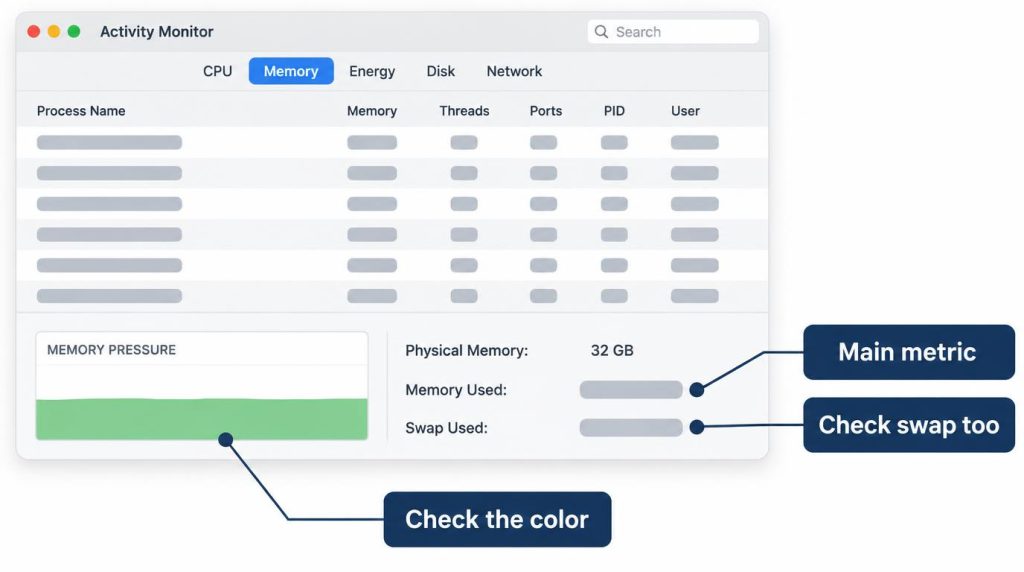
One sighting of swap doesn’t mean I’m short on memory. Next to Memory Used, I also watch Swap Used, the memory pressure color and how the machine feels.
For Docker, I usually start OrbStack at around 8GB and raise it only when the integration setup gets heavy, not a fixed 16GB.
I bought 32GB to leave headroom on the host for the IDE and the agents, not to hand it to Docker. I wrote up how the same 32GB machine held up in a follow-up post.
Is 16GB enough for development on a Mac mini?
I don’t recommend it for a setup like mine. Spring Boot work did run on my old M1 with 16GB, but headroom shrank with every IDE, Docker container, Chrome window and agent I added.
Development never failed on that M1. I just felt memory get tight each time I opened one more thing.
I didn’t record swap or any numbers on the M1, so this is only how it felt.
Because of it, I skipped the 16GB base model this time. On 32GB, my usual set lands in the high 20s of GB, so on 16GB I expect it would live in swap.
M6 32GB or M5 Pro 24GB?
For my workload, the M6 with 32GB. My Memory Used reached close to 30GB, so I expect a 24GB machine would lean on swap, faster chip or not.
I haven’t run my setup on an M5 Pro with 24GB.
Apple’s Mac mini store page still lists the M5 Pro (15-core CPU, 16-core GPU) with 24GB and 512GB. Its preset M6 configurations top out at 32GB with 1TB (checked October 30, 2026).
When memory is the bottleneck, as it was for me, I think the M6 with 32GB is the safer pick.
The same logic decided M6 24GB vs 32GB for me. Moving from 24GB to 32GB mattered more than a higher CPU/GPU tier.
In my work, memory showed up before core count
Local incremental build/test ran in the 40–50 second range, and that time didn’t swing much with the IDE, Docker, tests and agents running together.
That’s with the Gradle daemon and cache already warm, on the 15–20 module project. I have no M1 number to compare against. I left out clean builds because their conditions vary too much.
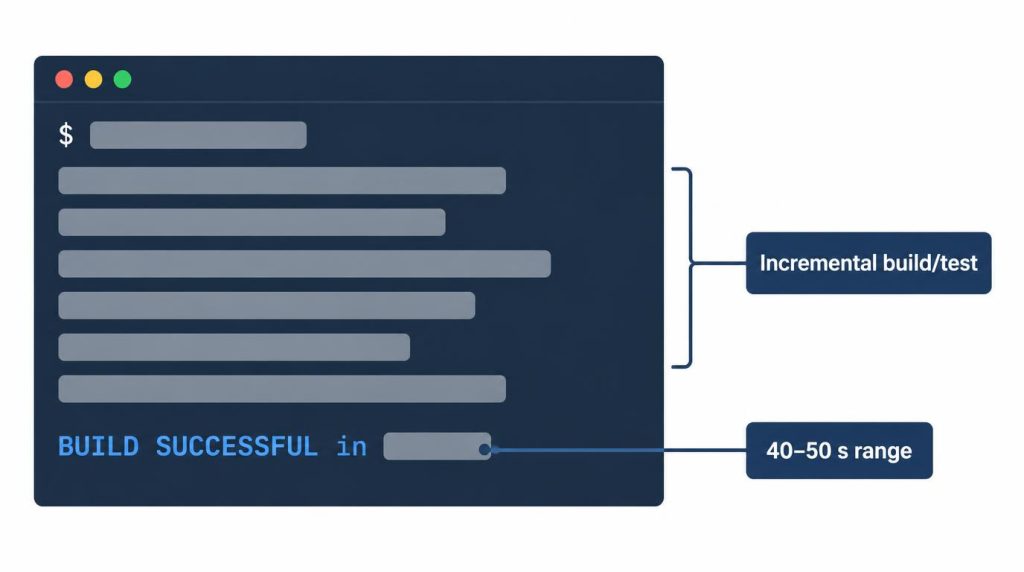
BUILD SUCCESSFUL (redrawn with AI, values hidden).It didn’t feel several times faster than before.
I ran three agents in parallel: one analyzing the repository, one on tests and fixes, one in a separate git worktree.
The CPU wasn’t pinned at 100%. What I noticed was the memory of each agent’s processes climbing at the same time. Since then, I find it hard to pick a Mac by benchmark scores alone.
Mac mini M6 vs M5 Pro specs that matter for development
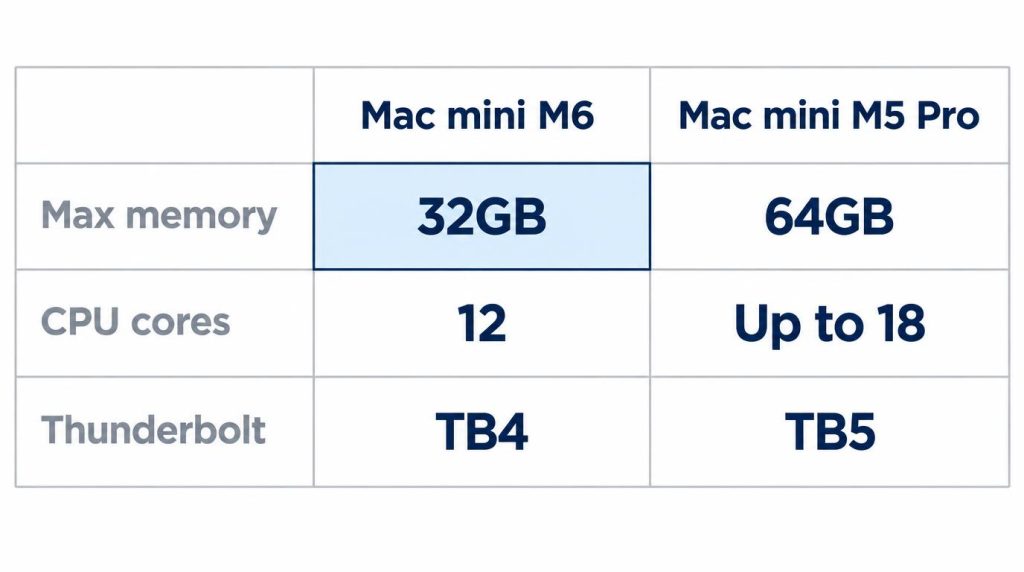
Per Apple’s announcement on August 25, 2026, the M6 has a 12-core CPU and 12-core GPU. The M5 Pro goes up to an 18-core CPU and 20-core GPU.
Memory is the bigger gap. The M6 starts at 16GB and tops out at 32GB, with up to 170GB/s of memory bandwidth. The M5 Pro goes up to 64GB at 307GB/s.
Ports differ too: three Thunderbolt 4 ports on the M6, three Thunderbolt 5 ports on the M5 Pro.
| Spec | M6 | M5 Pro |
|---|---|---|
| CPU cores | 12 | Up to 18 |
| Max memory | 32GB | 64GB |
| Bandwidth | Up to 170GB/s | 307GB/s |
| Thunderbolt | TB4 ×3 | TB5 ×3 |
I haven’t used an M5 Pro, so I can’t tell you its build-time difference on my project.
Is the M5 Pro worth the extra $800?
In my view, only if you hit one of the limits below. Apple’s US starting prices are $899 for the M6 and $1,699 for the M5 Pro, an $800 gap (Apple Store, checked October 30, 2026).
| Chip | US starting price |
|---|---|
| M6 (12-core CPU, 12-core GPU) | $899 |
| M5 Pro (15-core CPU, 16-core GPU) | $1,699 |
| M5 Pro (18-core CPU, 20-core GPU) | $1,899 |
Apple’s announcement lists education pricing from $799 for the M6 and $1,599 for the M5 Pro. Prices can change, and I haven’t listed configured prices.
These aren’t what I paid. I bought mine in Korea.
When I’d pick the M5 Pro instead
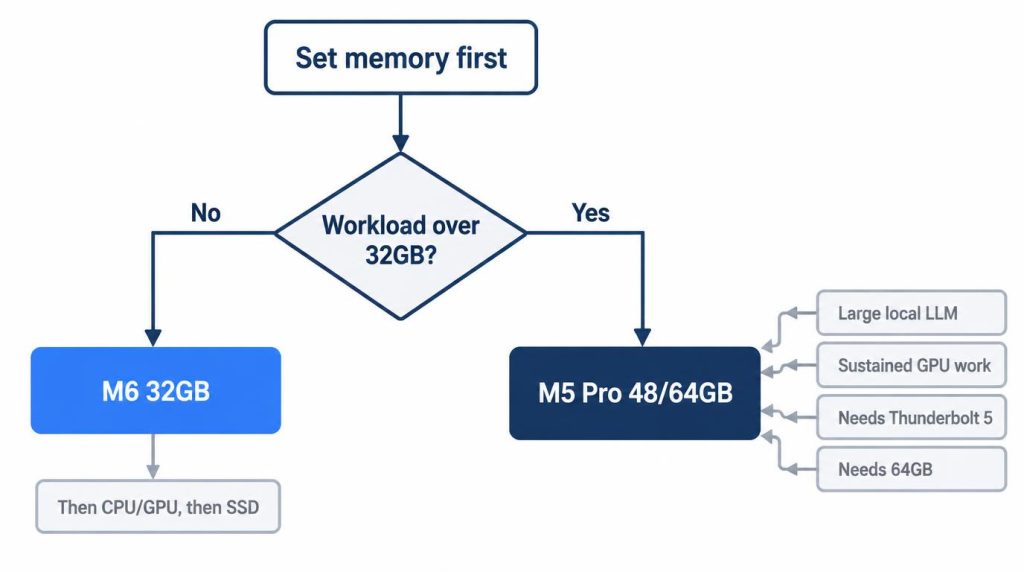
Decide memory first, then the CPU/GPU tier, then the SSD. I’d go to the M5 Pro in five cases:
- Your real workload goes past 32GB
- You run large local LLMs
- You have sustained GPU work
- You need Thunderbolt 5 (the M6 has Thunderbolt 4)
- You need 64GB
In those cases, I think an M5 Pro with 48GB or 64GB beats pushing an M6 configuration further.
I’ve never actually gone past 32GB. Near 30GB with swap is where my experience ends. The conditions above are my judgment from that point.
I passed on the M5 Pro because my daily workload doesn’t need 64GB or a stronger GPU. Heavy GPU work runs on my RTX 4090 workstation.
It’s not that the M5 Pro is unnecessary. The problems it solves were already handled by the 4090. If large local models are your reason to look at the M5 Pro, I compared that route in DGX Spark vs RTX 4090 vs Mac mini for local LLMs.
Should you upgrade to the M6 from an M1 or M4?
It depends on the memory you have now. My rules:
- On an M4 with 32GB or more, the M6 alone isn’t a reason to switch.
- On an M1 with 8GB or 16GB, using Docker and agents together, you have a reason.
- If leftover M4 Pro stock or a used unit is cheap enough next to an M6 32GB configuration, that’s worth a look too.
Check Docker image architecture before you move
Before I even look at code on a new Mac, I check the architecture of my Docker images and native dependencies. That habit comes from the M1, not the M6.
When I first used the M1, I brought over old Docker images from my Intel setup as-is. Some just ran under emulation, so at first I didn’t notice that amd64 and arm64 were different.
Then certain old images and native dependencies hit performance and runtime problems. Only then did I check the image architecture directly. That was my first real lesson in amd64 vs arm64.
Moving from the M1 to the M6, I checked image and native dependency architectures in advance because of it.
I didn’t restore my environment settings wholesale either. Going from an Intel Mac to Apple Silicon once, my Homebrew and JDK paths got mixed up. This time I set up the JDK and package manager fresh for arm64.
References
- Apple Newsroom: Mac mini with M6 and M5 Pro (August 25, 2026): core counts, memory ceilings, memory bandwidth, Thunderbolt ports, US and education starting prices
- Apple Store: Buy Mac mini (US): US starting prices and listed configurations, checked October 30, 2026
Related posts
- Local LLM Too Slow? 8B vs 30B on My RTX 4090
- Own an RTX 4090? DGX Spark vs Mac mini for Local LLMs
- vLLM vs llama.cpp on a Single RTX 4090: Why I Don’t Use vLLM
- Docker Model Runner vs Ollama: Which One to Use (RTX 4090 Test)
I first wrote this in Korean on my blog: https://jjeongil.tistory.com/3578.