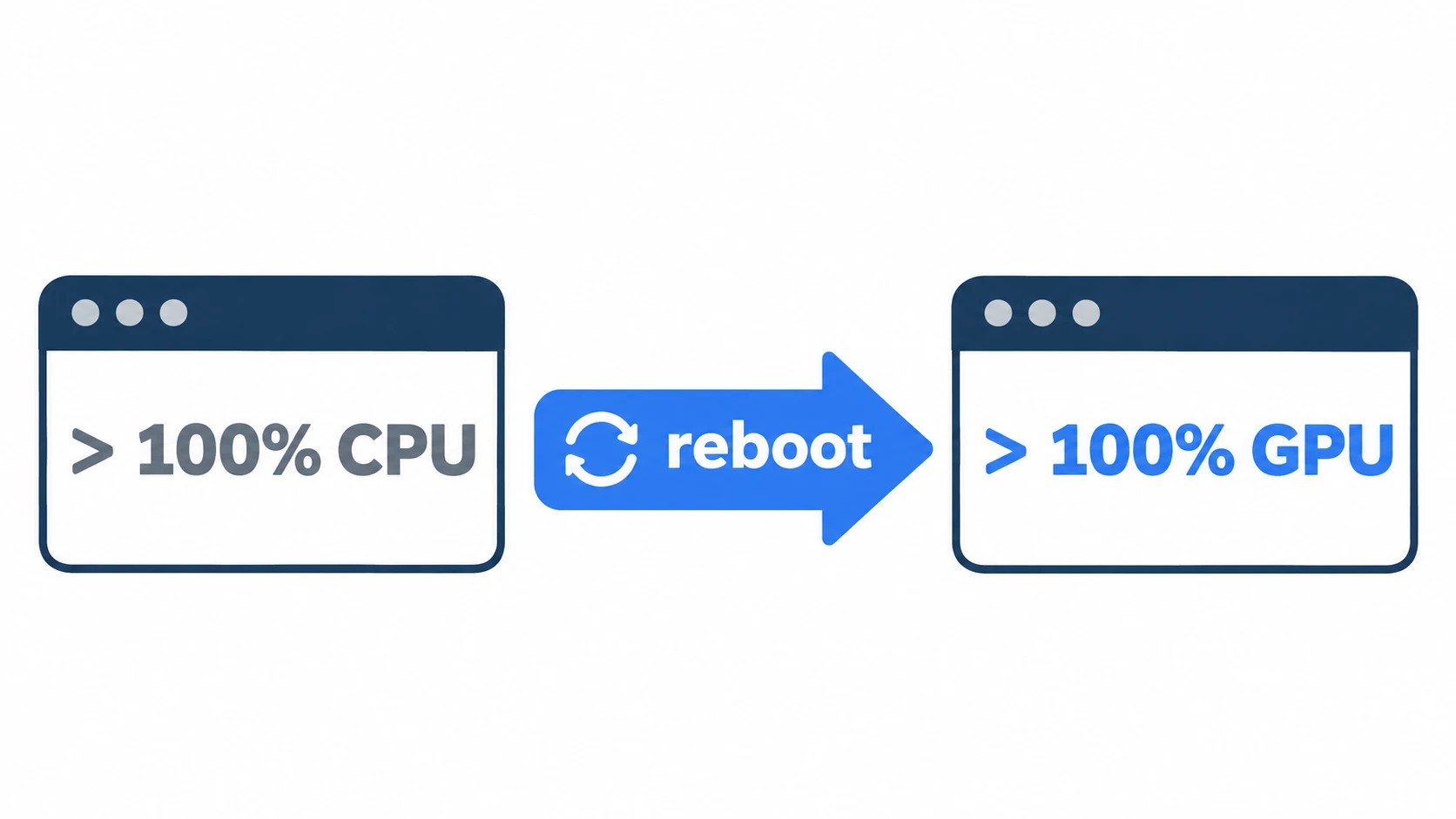
If Ollama on your Ubuntu machine suddenly answers a few characters at a time and shows no error, it has probably lost the GPU. Send it a prompt, then run ollama ps: 100% CPU under PROCESSOR confirms it. If nvidia-smi then prints Failed to initialize NVML: Driver/library version mismatch (NVML is the NVIDIA library nvidia-smi uses to talk to the driver), the NVIDIA driver packages on disk are newer than the kernel module still loaded in memory.
Either you ran apt upgrade and didn’t reboot, or, if you updated nothing, Ubuntu’s unattended security update installed a new driver that morning. Restarting or reinstalling Ollama won’t help. Reboot, check for 100% GPU, then hold the driver so the next update can’t do it again.
That is what I found on my RTX 4090 workstation one morning, with the fans silent and every CPU core busy.
On this page
- 100% CPU in ollama ps, then a version mismatch in nvidia-smi
- Why the NVIDIA driver changed when you upgraded nothing
- Restarting Ollama won’t clear it; reboot and look for 100% GPU
- Keep the NVIDIA driver out of unattended upgrades: blacklist and apt-mark hold
- When nvidia-smi works but Ollama still runs on the CPU
100% CPU in ollama ps, then a version mismatch in nvidia-smi
The morning it happened, my coding agent’s replies dribbled out a character at a time. I blamed the context first and gave it fewer files, which changed nothing. Next I suspected an Ollama update, but ollama --version hadn’t moved.
About ten minutes were gone before the quiet fans and the busy CPU made me look at the hardware. Now I run two commands first, and they settle it in under a minute:
ollama ps
nvidia-smi
ollama ps lists a model only while it is loaded, so send one prompt before you run it. In the PROCESSOR column, 100% GPU is healthy and 100% CPU means the GPU is gone. A split such as 48%/52% CPU/GPU is a different problem (the model doesn’t fit in VRAM), covered in the last section.
If it says 100% CPU, nvidia-smi tells you which layer broke. This line means the driver itself, and the rest of this post is for you:
Failed to initialize NVML: Driver/library version mismatch
If nvidia-smi prints its usual table with your GPU and driver version, the driver is fine; skip to the last section.
Why the NVIDIA driver changed when you upgraded nothing
On a default Ubuntu install, unattended-upgrades runs daily and installs whatever lands in the -security pocket, the part of Ubuntu’s archive that carries security fixes, NVIDIA driver fixes included. This applies if your driver came from Ubuntu’s archive (ubuntu-drivers, or a package like nvidia-driver-580); NVIDIA’s .run installer and NVIDIA’s own CUDA repository don’t update this way.
The upgrade timer fires at 6:00 a.m. plus up to an hour of random delay, so a machine left on gets the new driver between 6 and 7, and one that was off gets it shortly after the next boot.
Automatic reboot is off by default, so the new packages sit on disk while the old module stays loaded. Ollama can’t initialize the GPU against that mismatch, falls back to the CPU and keeps answering.
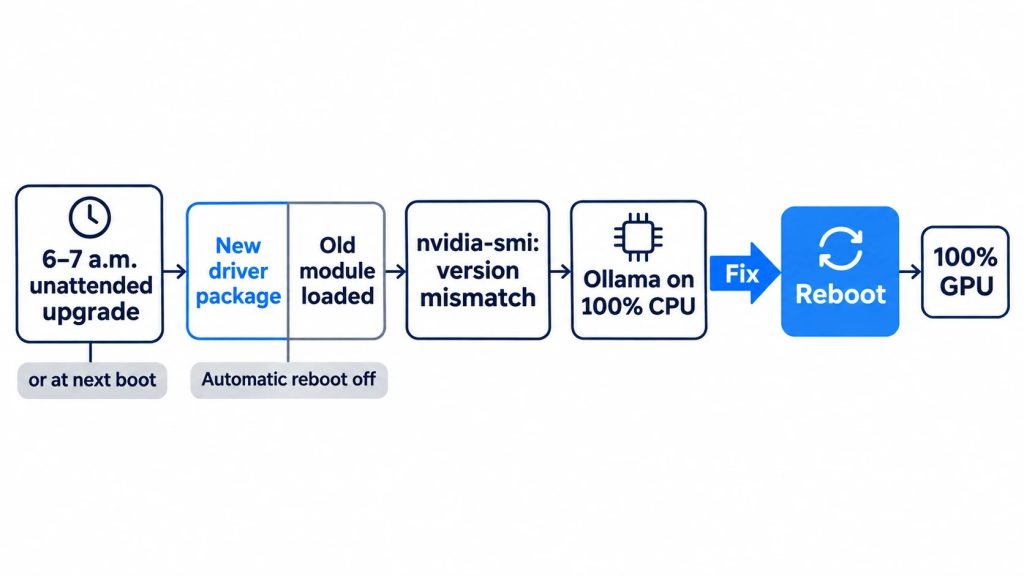
Check who installed it before you reboot
Mine is nvidia-driver-580 on Ubuntu 24.04 LTS. Before rebooting, I checked who had done it, since a reboot loads the new module and takes the evidence with it. sudo dmesg | tail had NVRM: API mismatch lines piled up, and the loaded module and the installed package showed different versions:
sudo dmesg | tail
cat /proc/driver/nvidia/version
dpkg -l 'nvidia-driver-*'
tail -n 30 /var/log/apt/history.log
The last block in history.log read Commandline: /usr/bin/unattended-upgrade, with an Upgrade: line moving nvidia-driver-580, nvidia-utils-580 and the rest of the set to new versions.
On your machine, that Commandline with a Start-Date between 6 and 7 a.m. (or just after power-on) means unattended-upgrades did it. If it shows apt upgrade instead, you ran it yourself and didn’t reboot.
Restarting Ollama won’t clear it; reboot and look for 100% GPU
I tried sudo systemctl restart ollama that morning, and it was just as slow.
A restart starts a fresh Ollama process, but that process loads the same new driver libraries against the same old kernel module, so the mismatch survives it. Reboot, then check both layers:
nvidia-smi
ollama run <your-model> "hello"
ollama ps
nvidia-smi should print the GPU table again, and PROCESSOR should read 100% GPU. That is how mine came back. There is no need to reinstall Ollama or pull your models again; ollama list was intact the whole time.
If nvidia-smi still fails after the reboot, the new module didn’t load, and sudo dmesg | grep -i nvidia says why. On a DKMS setup, also run dkms status: no installed line for the kernel that uname -r prints means the module build failed.
With Secure Boot on, the kernel refuses an unsigned module, so a DKMS module signed with a key you haven’t enrolled yet loads only after you confirm that key on the blue Enroll MOK screen at boot. The pre-built modules that ubuntu-drivers installs are already signed.
Keep the NVIDIA driver out of unattended upgrades: blacklist and apt-mark hold
I first added only a blacklist, and the next time I typed sudo apt upgrade the driver went up anyway:
| Unattended upgrade | sudo apt upgrade you type |
|
|---|---|---|
Package-Blacklist |
Blocked | Goes through |
apt-mark hold |
Blocked | Blocked |
I use both, because the blacklist takes patterns and also catches packages a hold can’t name yet, such as a new driver branch or a new helper package. Open the config as root with sudoedit /etc/apt/apt.conf.d/50unattended-upgrades. The block already exists with its examples commented out; put the four patterns inside it, before the closing };:
Unattended-Upgrade::Package-Blacklist {
    // (commented examples stay as they are)
    "nvidia-.*";
    "libnvidia-.*";
    "linux-modules-nvidia-.*";
    "xserver-xorg-video-nvidia-.*";
};
Then hold every installed NVIDIA package as one set. Hold only nvidia-driver-580 and the rest upgrade around it, which leaves the utilities and the module on different versions:
dpkg -l | awk '$1=="ii" && $2 ~ /nvidia/ {print $2}' | xargs sudo apt-mark hold
apt-mark showhold
sudo unattended-upgrade --dry-run -d
In the dry run, the NVIDIA packages should show up as skipped. Turning on Automatic-Reboot would also have spared me that morning, but this 4090 keeps models loaded overnight, sometimes with a long job running or my SSH session open, and I’d rather not have it reboot onto a new driver while I’m not watching.
Upgrading the held driver by hand
A hold is not a freeze: security fixes for the 580 driver keep shipping, and new kernels still install unattended. What a new kernel means for you depends on how your module is built, and dpkg -l | grep -E 'nvidia-dkms|linux-modules-nvidia' shows which:
| Package in the list | Your setup | On a new kernel |
|---|---|---|
nvidia-dkms-580 |
DKMS (mine) | The held driver is built for it automatically |
linux-modules-nvidia-580-generic |
Pre-built, the ubuntu-drivers default |
The hold blocks its module, so rebooting into it puts Ollama back on the CPU |
Either way, after a kernel update, check the newest installed kernel before you reboot:
modinfo -k "$(ls /lib/modules | sort -V | tail -1)" -F version nvidia
A version number means the new kernel is covered. Module nvidia not found means do the upgrade below before you reboot.
I check apt list --upgradable, read the release notes, and pick an evening or a weekend:
- Stop Ollama (
sudo systemctl stop ollama) and confirmnvidia-smilists no GPU processes. - Unhold the set and upgrade only those packages:
apt-mark showhold | grep nvidia > ~/nvidia-held.txt
xargs sudo apt-mark unhold < ~/nvidia-held.txt
sudo apt install --only-upgrade $(cat ~/nvidia-held.txt)
- Check that the new module is on disk for the kernel you will boot. With DKMS,
dkms statuslists the new version asinstallednext to that kernel; with pre-built modules, themodinfo -kline above prints the new version. - Reboot right away.
- Confirm the new version in
nvidia-smi, load a model, and look for100% GPUinollama ps. - Hold the set again by rerunning the
dpkg -l | awk … | xargs sudo apt-mark holdline above, which also picks up any package the upgrade added.
Plan for a little over ten minutes, reboot included.
When nvidia-smi works but Ollama still runs on the CPU
A healthy nvidia-smi means the driver is fine and the cause is elsewhere. Find the row that matches what you see:
| What you see | Likely cause | What to do |
|---|---|---|
A split like 48%/52% CPU/GPU |
Model and context don’t fit in VRAM | Use a smaller model or shorter context; my local LLM hardware guide walks through it |
100% CPU after waking from suspend |
The GPU was lost on resume | sudo rmmod nvidia_uvm && sudo modprobe nvidia_uvm |
100% CPU right after updating Ollama |
Ollama didn’t detect the GPU at startup | Read the GPU discovery lines in journalctl -u ollama |
| Ollama in Docker, CPU only | The container has no GPU access | Start it with the NVIDIA Container Toolkit and --gpus=all |
| An older card | Too old for Ollama (compute capability below 5.0) | Check Ollama’s supported GPU list |
Sources
- Why Ollama falls back to the CPU after an Ubuntu update, loopnotes-lab, November 16, 2026: the unattended-upgrade window (6:00 plus up to an hour, or soon after boot), default
50unattended-upgradessettings, blacklist versus hold, official pages and other people’s reports side by side, and what a held driver means for kernel updates - Automatic updates, Ubuntu Server docs, checked 2026-11-16: unattended-upgrades installed by default and run daily,
-securityallowed by default,Package-Blacklist,Automatic-Rebootoff by default - nvidia-graphics-drivers-580 accepted into noble-security, Ubuntu noble-changes list, March 9, 2026: a 24.04 NVIDIA 580 driver shipped through the security pocket
- CVE-2026-24197, Ubuntu Security, May 26, 2026: a 580 driver security fix for 24.04 LTS
- NVIDIA GPU driver updates, Ubuntu project docs, checked 2026-11-16: a driver update leaves the loaded module and user-space libraries mismatched; reboot right away
Show 7 more sources
- NVIDIA drivers installation, Ubuntu Server docs, checked 2026-11-16: pre-built, signed
linux-modules-nvidiapackages by default, DKMS (not signed with Canonical’s key) as the alternative - UEFI Secure Boot, Ubuntu Security docs, checked 2026-11-16: unsigned modules aren’t loaded; DKMS modules are signed with a MOK confirmed at boot
- apt-mark(8), Ubuntu manpages, checked 2026-11-16:
hold,unhold,showhold - Ollama FAQ, Ollama docs, checked 2026-11-16:
ollama psPROCESSOR values - GPU, Ollama docs, checked 2026-11-16: compute capability 5.0 and up,
nvidia_uvmreload after suspend/resume - Troubleshooting, Ollama docs, checked 2026-11-16: logs in
journalctl -u ollama, GPU discovery at startup - Docker, Ollama docs, checked 2026-11-16: NVIDIA Container Toolkit and
--gpus=all