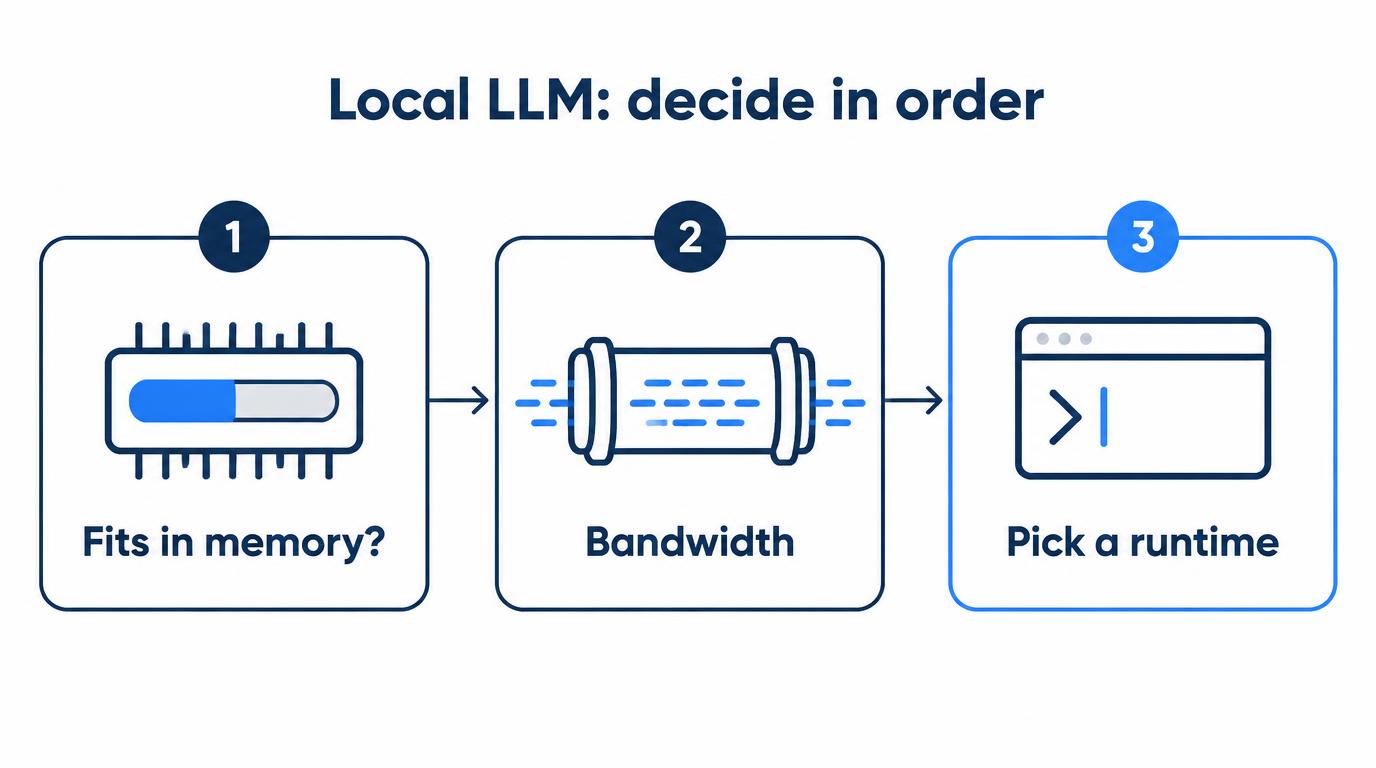
For local LLM hardware and runtimes, I decide in a fixed order. Does the model fit in memory? How much bandwidth is there? Only then do I pick a tool.
My main local LLM machine is an RTX 4090 with 24GB of VRAM and 64GB of system RAM, running Ubuntu. Larger, longer jobs go to a Mac Studio M3 Ultra with 96GB that I reach over SSH. My development machine is a Mac mini M6 with 32GB, where I’ve only run LLMs as side experiments.
I’ve written eight posts on this. This page ties them together, with the numbers that came out of them and the places where they disagree.
On this page
- Which local LLM setup should you start with?
- Why does memory capacity come before speed?
- Which measured numbers matter most?
- Ollama, LM Studio, llama.cpp, vLLM or Docker Model Runner?
- What mistakes did I make along the way?
- Where do my posts disagree, and what’s dated?
- What haven’t I tested myself?
- All posts in this guide
Which local LLM setup should you start with?
Start from the model you’ll run every day, not from the hardware. The table below maps a goal to a setup and to the post where I measured or checked it.
| Your situation | Setup | Details in |
|---|---|---|
| 8GB or no GPU | Small 3–4B models | 8B vs 30B |
| First GPU, mostly 7–14B | RTX 5060 Ti 16GB | 5060 Ti vs 3090 |
| First GPU, daily 30B MoE Q4 at 32K | Used RTX 3090 24GB | 5060 Ti vs 3090 |
| Own a 4090, need 70B now and then | Cloud GPU first | DGX Spark vs 4090 |
| Large models daily, data stays local | High-capacity hardware | DGX Spark vs 4090 |
| Mac for dev, light local AI | Mac mini M6 32GB | M6 vs M5 Pro |
| Mac, large local LLMs or over 32GB | M5 Pro 48GB or 64GB | M6 vs M5 Pro |
| 70B or long context every day, no CUDA needed | Mac Studio 96GB, next to a GPU box | Mac Studio vs 4090 |
Not every row is backed by the same amount of hands-on time. The 8GB row is a rough guide, not my own setup.
The 5060 Ti row rests on a couple of hours with one in a PC belonging to someone I know. The 3090 row rests on a 3-hour cloud rental plus my 4090 numbers.
The cloud GPU and high-capacity rows are my own buying rules. The M5 Pro row is my judgment from specs and my 32GB usage.
Why does memory capacity come before speed?
Capacity decides whether a model runs on the GPU at all. Bandwidth only decides how fast it feels once it fits.
VRAM use is the weights plus the KV cache (which grows with context) plus runtime headroom. When that total spilled into system RAM on my 4090, the model still ran, but not at a speed I’d use every day.
Once a model fits, generation speed depends heavily on memory bandwidth. These are the spec figures from my posts, not my measurements:
- RTX 4090: 1,008GB/s
- RTX 3090: 936GB/s
- DGX Spark (128GB unified): 273GB/s
- RTX 5060 Ti 16GB: 448GB/s
- Mac mini M6 (32GB unified): 170GB/s
Among the 4090, the M6 and the Spark, the 4090 has the least capacity and the most bandwidth. The Spark is the opposite. For the 20–30B models I use every day, the 4090 I already own is still worth a lot, so I haven’t bought a Spark.
Which measured numbers matter most?
The memory numbers matter most: how much VRAM a 30B MoE Q4 used at each context length on my 4090. All five below come from my own runs.
- A 30B MoE Q4 is stable in 24GB only up to 32K context. Qwen3-Coder 30B (MoE, Q4 about 17GB) in LM Studio on my 4090 used about 21.1GB at 32K and about 23.4GB at 64K. At 128K it spilled into RAM. September 2026, from DGX Spark vs 4090 and 5060 Ti vs 3090.
- Lowering context from 128K to 32K cut Cline’s first response from over 10 seconds to about 2.8 seconds. Same model. It wasn’t a controlled benchmark, so I don’t claim context size was the only cause. From DGX Spark vs 4090.
- tok/s on the 4090 by model size: 8B-class Q4_K_M over 100 and 14B-class Q4_K_M 70–80 in Ollama, 30B-class dense 30–40. My posts don’t record the context length for these. From vLLM vs llama.cpp and Docker Model Runner vs Ollama.
- 16GB holds a 14B Q4 but not a 32B Q4. On a 5060 Ti, a 14B Q4 (about 9GB of weights) plus 16K context stayed within 16GB. A 32B Q4 (about 19GB) overflowed to the CPU and slowed down right away. From 5060 Ti vs 3090.
- Docker Model Runner took 40–60 minutes to set up the first time, and about 10 minutes for the next project. From Docker Model Runner vs Ollama.
A tok/s figure means little alone. I state the model, the quantization, the context length, and whether it’s decode or prefill.
In Ollama, decode tok/s is eval_count / (eval_duration / 1e9). The prompt_eval_* fields are prefill, so keep them separate.
Ollama, LM Studio, llama.cpp, vLLM or Docker Model Runner?
Start with Ollama or LM Studio. Move to the others only when a specific need shows up: VRAM, concurrent users, or an app that already runs in Docker.
- LM Studio: a GUI where you can see memory use and context size while you adjust them.
- Ollama: one command to run a model, an OpenAI-compatible API on
localhost:11434. It wraps llama.cpp, and its default quantization is Q4_K_M. - llama.cpp directly: when I want to tune the detailed options myself.
- llama-swap: not a speed tool. It sits in front as one endpoint and swaps models by the
modelvalue, so several models can share one 24GB card. - Docker Model Runner: worth it when the app already runs in containers. If models, prompts and tool calling are already proven on Ollama, I don’t see much reason to switch.
In a Red Hat benchmark with 64 concurrent users, vLLM processed about 44 times more tokens per second than llama.cpp. The workload decides, not the GPU.
Two settings stretched 24GB further for me: Flash Attention and a q8_0 KV cache (OLLAMA_FLASH_ATTENTION, OLLAMA_KV_CACHE_TYPE). They help context length more than speed.
I tested speculative decoding with a draft model and turned it off. The draft model took VRAM, and in an agent loop full of prefill and tool calls, faster decode didn’t speed up the whole task by the same amount. Details are in vLLM vs llama.cpp.
What mistakes did I make along the way?
Two of them came from assuming that “it runs” means “it’s usable.” The rest were about quantization, specs and tooling.
- Forcing a big model first. I put a 30B-class model on the 4090. The first response took 20–30 seconds, and longer answers took over a minute. (8B vs 30B)
- Quantizing below Q4. On a TypeScript refactor across several files, the heavily compressed model redefined existing types and subtly changed function signatures. Short code generation looked fine. (8B vs 30B)
- Counting RAM as VRAM. I thought 24GB plus 64GB of RAM would just work. It ran, but the wait for the first token and the slower generation were obvious right away. (DGX Spark vs 4090)
- Judging unified memory by capacity alone. I liked that Apple’s unified memory feels less cramped. I shouldn’t have lined it up with a discrete NVIDIA GPU on capacity alone, given the M6’s 170GB/s. (DGX Spark vs 4090)
- Swapping endpoints and blaming the model. I pointed my code review agent from Ollama to Docker Model Runner. JSON parsing kept failing, and I rewrote the system prompt for a long time. The cause was a response format mismatch with my harness. Starting the model took 10 minutes; finding that took an hour and a half. (Docker Model Runner vs Ollama)
- Trusting a 15-minute FurMark test. On a used 4070 Ti I bought, one fan started rattling under load a month later. The test hadn’t caught it. (5060 Ti vs 3090)
Where do my posts disagree, and what’s dated?
Four things don’t line up across my posts: 7–8B speed, 30B first-response time, how big to go, and quantization. Prices and DGX Spark details are dated October 2026.
7–8B speed. The vLLM post, and the Ollama section of the Docker Model Runner post, say an 8B-class model ran over 100 tok/s on the 4090. The measurement table in that same Docker Model Runner post gives about 70–90 tok/s for 7–8B quantized models.
That table mixes runs from both Ollama and Docker Model Runner and doesn’t split them by runtime. It isn’t a formal benchmark, so I read it as a range, not a contradiction to resolve.
30B first response. The 8B vs 30B post reports 20–30 seconds for a 30B-class model. The DGX Spark post reports about 2.8 seconds for Qwen3-Coder 30B MoE at 32K.
The first post doesn’t name the model, so I can’t compare the two directly. What I can say is that MoE models feel very different from dense models with the same label, which the vLLM post covers.
“Don’t start big” vs “my daily setup is 30B.” The 8B vs 30B post settles on a moderate model size. The 5060 Ti vs 3090 post says my daily setup is a 30B MoE Q4 at 32K. Both are true in their own posts. My reading is that the MoE point above connects them.
Quantization. One post settles around Q4. Another says I use Q4_K_M or Q5, and suggests trying Q5 or Q6 for refactoring work.
Dates to recheck:
- DGX Spark details were last checked on October 11, 2026. NVIDIA had announced a 64GB configuration for partner sales starting October 23, and showed no price for the 128GB one.
- RTX 5060 Ti and used 3090 prices are Korean listings: ₩994,240 new on Danawa (2026-10-11), about ₩1,800,000 asking for a used 3090. Check prices where you live.
- Mac mini US starting prices ($899 for the M6, from $1,699 for the M5 Pro) were checked on October 13, 2026.
- The serving order in the vLLM post is as of September 2026. The 8B vs 30B figures are as of the second half of 2026.
What haven’t I tested myself?
I’ve never owned a DGX Spark, a 3090 or an M5 Pro. Those parts of this guide rest on specs, a cloud rental or estimates.
- The DGX Spark comparison uses official specs only.
- For the 3090, I rented one 24GB 3090 in the cloud for 3 hours to check that a 30B Q4 model fit.
- I used a 5060 Ti for a couple of hours in a PC belonging to someone I know.
- The 3090 (65–75 tok/s) and 5060 Ti (31–36 tok/s) figures at 14B are estimates scaled from my 4090 by bandwidth. Only a measurement would confirm them.
- I’ve only run LLMs on the Mac mini M6 as side experiments. On my heaviest day there, with three agents, Docker and a 7–8B 4-bit model loaded at once, memory pressure turned yellow for a moment, so local models now go to the 4090 (one month with the M6). I haven’t used the M5 Pro or the M6 with 16GB.
- I haven’t used a GB10 box with 128GB of unified memory.
All posts in this guide
- Local LLM Too Slow? 8B vs 30B on My RTX 4090: 7–8B answers instantly on 24GB, a 30B-class model took 20–30 s to start, and what to pick
- DGX Spark vs RTX 4090 vs Mac mini: Why I Kept My 4090: 128GB at 273GB/s vs 24GB at about 1TB/s, and my measured VRAM by context
- RTX 5060 Ti 16GB vs Used 3090 for Local LLM: Does 30B Fit?: a 30B Q4 needs about 17GB for weights, so 16GB is enough only up to 14B
- vLLM vs llama.cpp on a Single RTX 4090: Why I Went Back: about the same rate for one user, vLLM ahead with many concurrent users
- Docker Model Runner vs Ollama: Should You Switch? (RTX 4090): 70–90 tok/s on 7–8B, a 40–60 minute first setup, and the JSON parsing break
- Mac mini M6 vs M5 Pro for Developers: Is 32GB Enough?: near 30GB of memory use with agents and Docker, and where the M5 Pro starts
- Mac Studio M3 Ultra 96GB vs 4090: Local LLM Review: 70B and 256K-context jobs the 4090 can’t take, and Qwen3-235B at Q2_K (85.7GB) failing a simple coding task